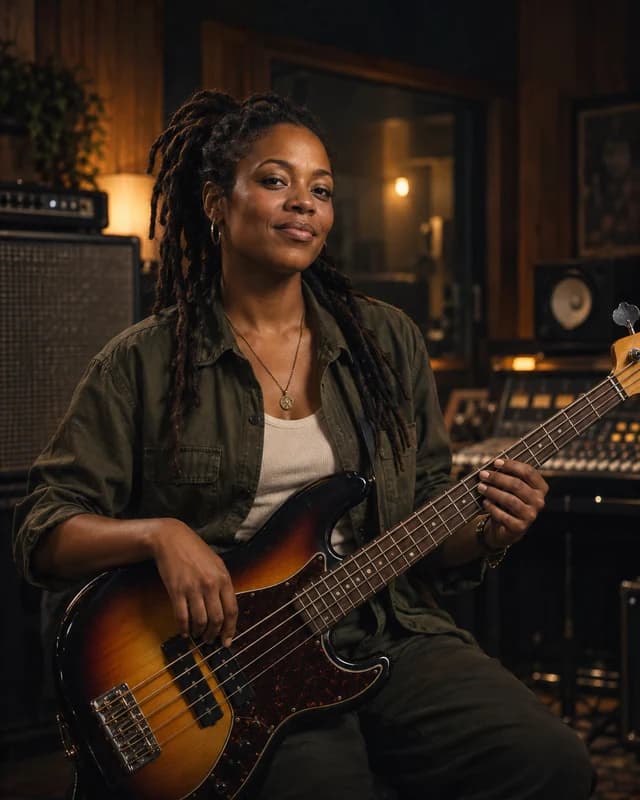
Turn one clear creative brief into two complete tracks. The workflow stays simple enough for a first song while giving experienced creators room to shape lyrics, style, mood, and instrumentation.
01
Describe the song you want
Start with the musical result, not technical commands. Tell the AI music generator the genre, mood, tempo, instruments, vocal character, and intended use. A useful prompt might request warm indie pop with bright guitars, a hopeful chorus, and a steady mid-tempo groove for a travel video. Clear creative direction helps the selected model understand the relationship between the arrangement, emotion, and audience instead of guessing from a few disconnected keywords.
02
Generate two AI music tracks
Choose Simple mode for a fast text-to-music workflow or Custom mode when you want to control the song title, style, lyrics, and excluded sounds. Each AI music generator request costs 20 credits and returns two musical variations from the same brief. Producing a pair makes comparison part of the process: one version may have the stronger melody while the other offers a better rhythm, vocal delivery, or arrangement for your project.
03
Listen, compare, and download
Follow progress in the Current tab, then play both finished tracks directly in your browser. Compare the opening, verse-to-chorus movement, vocal tone, instrumental balance, and overall fit before choosing a result. Completed AI songs remain available in History for signed-in users, so you can return to earlier ideas without recreating the prompt. Download the version you prefer and continue editing, publishing, or pairing it with your video workflow.
The online AI music generator removes the slow setup between an idea and a playable draft. It is designed for quick experiments, repeatable production, and creators who want musical options without building every arrangement from zero.
01
Create without complex studio software
You do not need a digital audio workstation, sample library, microphone setup, or music theory worksheet to create a first version. Describe the sound in ordinary language and let the text to music generator build the composition, arrangement, vocals, and production direction. Musicians can use the result as a demo, while marketers, video editors, teachers, podcasters, and independent creators can quickly test whether a musical concept supports their message before investing in a longer production cycle.
Creative decisions are easier when there is something concrete to compare. Instead of returning one answer, the AI song generator creates two tracks for every successful request. Listen for differences in hook strength, pacing, instrumentation, vocal phrasing, and emotional tone. You can keep the stronger result, use both as references, or rewrite the prompt with more precise details. This comparison loop makes the tool useful for discovery rather than treating the first generated track as a final decision.
03
Move from simple prompts to detailed control
Simple mode is ideal when you want to describe a complete song in one paragraph. Custom mode gives the AI music generator more structure by separating title, music style, lyrics, instrumental preference, and unwanted styles. This makes it easier to preserve a lyric concept, request a particular vocal mood, avoid an overly long intro, or keep the production away from specific genres. Model selection stays separate from the prompt, so the interface can support more creative engines as they become available.
Prompt guide
Write better AI music generator prompts
A strong prompt describes how the finished track should feel and function. Use specific musical language where it matters, but leave enough room for the model to create a coherent song rather than a checklist of unrelated effects.
01
Combine genre, mood, and instrumentation
Begin with a recognizable genre or blend, then add the emotional direction and the instruments that should carry the arrangement. For example: cinematic electronic pop with restrained drums, pulsing bass, intimate female vocals, and a wide uplifting chorus. Add tempo or era references only when they serve the result. The AI music generator responds better to a connected musical scene than to a long comma-separated list, so explain how the elements should work together and what the listener should feel.
02
Use Custom mode for lyrics and song identity
When words matter, give the song a title and place the lyric or structural direction in Custom mode. Keep verses focused, make the chorus easy to identify, and avoid forcing too many ideas into one generation. The style field can describe genre, voice, tempo, instruments, and production character, while excluded styles can steer the result away from spoken word, heavy distortion, abrupt endings, or other unwanted traits. Instrumental mode is available when your project needs music without a lead vocal.
If the first pair is close but not right, avoid rewriting everything at once. Keep the strongest parts of the prompt and change one or two variables, such as tempo, vocal character, chorus energy, or instrument emphasis. This makes each AI music generator attempt easier to evaluate and helps you learn which instructions produce meaningful differences. Save useful versions in History, compare them with headphones, and judge the complete arrangement rather than deciding from only the opening seconds.
AI music generator FAQ
Questions about creating AI music online
Learn how credits, modes, prompts, output tracks, and downloads work before starting your next song.
What is an AI music generator?
An AI music generator turns a written music brief into a produced audio track. You describe elements such as genre, mood, instruments, tempo, vocals, or lyrics, choose an available model, and receive a complete musical interpretation. Each successful generation returns two tracks, giving you two arrangements to compare instead of a single result.
How many credits does one music generation use?
One successful request uses 20 credits and creates two tracks. Credits are checked before the task starts. If the generation service reports a confirmed failure, the billing flow is designed to return the charged credits so you can try again. Your available balance appears in the account controls when you are signed in.
What is the difference between Simple and Custom mode?
Simple mode accepts one natural-language description and is the fastest way to test an idea. Custom mode separates the song title, style, lyrics or song direction, instrumental preference, and excluded styles. Use Custom mode when you already have words, need a more deliberate song identity, or want tighter control over what the AI music generator should avoid.
Can the AI music generator create instrumental music?
Yes. Enable Instrumental only before generating to request tracks without a lead vocal. Instrumental generation is useful for video backgrounds, podcast beds, study music, game concepts, presentation soundtracks, and songwriting demos where you plan to add your own melody or voice later.
Why does each prompt create two tracks?
Music prompts can support more than one valid interpretation. Two outputs let you compare melody, arrangement, pacing, vocal delivery, and production choices without paying for two separate prompt submissions. You can download one result, keep both, or use the differences to write a more focused prompt for the next generation.
Can I download and use the generated songs?
Completed tracks can be previewed in the browser and downloaded from the result view. Your permitted use may depend on the service plan, the model provider's terms, and the laws that apply to your project. Review the current Terms and Privacy pages before commercial distribution, and avoid prompts that request protected artists, brands, or copyrighted lyrics in ways you are not authorized to use.